Sharing & Viewing
Once you've generated a demo preview, you can share it with anyone and manage your collection of previews from within Virtual Cofounder.
Sharing Your Preview
After generating a preview, Virtual Cofounder gives you a URL. Copy it and send it anywhere — email, Slack, social media, or embed it in a portfolio. No special setup is needed on the recipient's end.
The link works immediately and stays active in your account.
What Recipients See
When someone opens your preview link, they see an interactive page with live blockchain data. Depending on what you built, they can:
- Browse NFT collections and view individual token metadata
- See marketplace listings with prices and availability
- Check token balances and supply information
- View auction states and bid histories
- Explore revenue splitter configurations
Viewers can query contract data freely. Write operations — like placing bids, buying NFTs, or sending tokens — require them to connect their own wallet.
Viewing Your Past Previews
Demo previews are saved to your PoobahAI account. You can access them from any session — they're not tied to a single conversation or wallet.
To see all the previews you've generated, ask Virtual Cofounder:
Can you show me my demo previews?
Or:
What demo previews have I created?
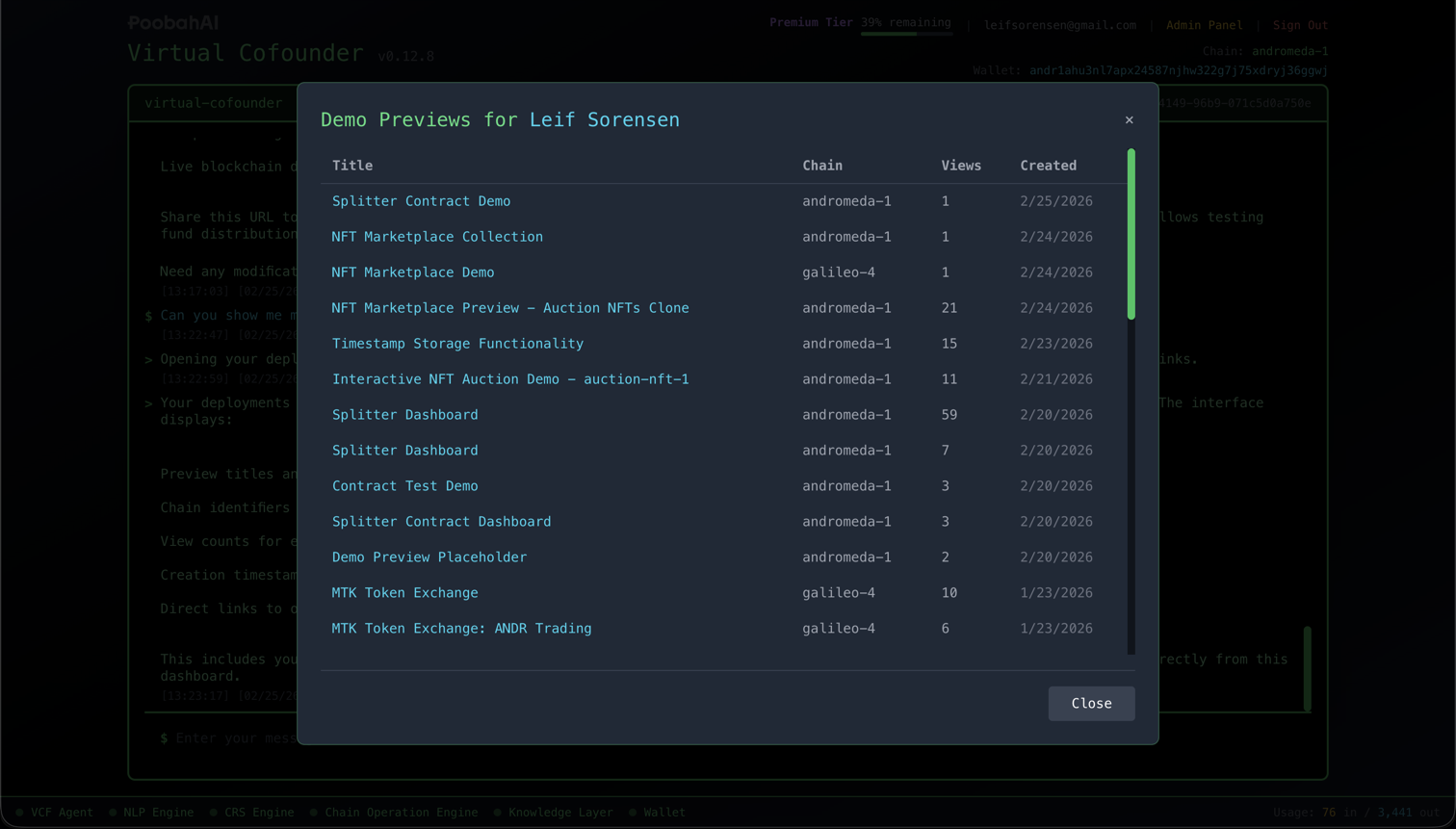
This opens the deployments panel, which lists your previews with:
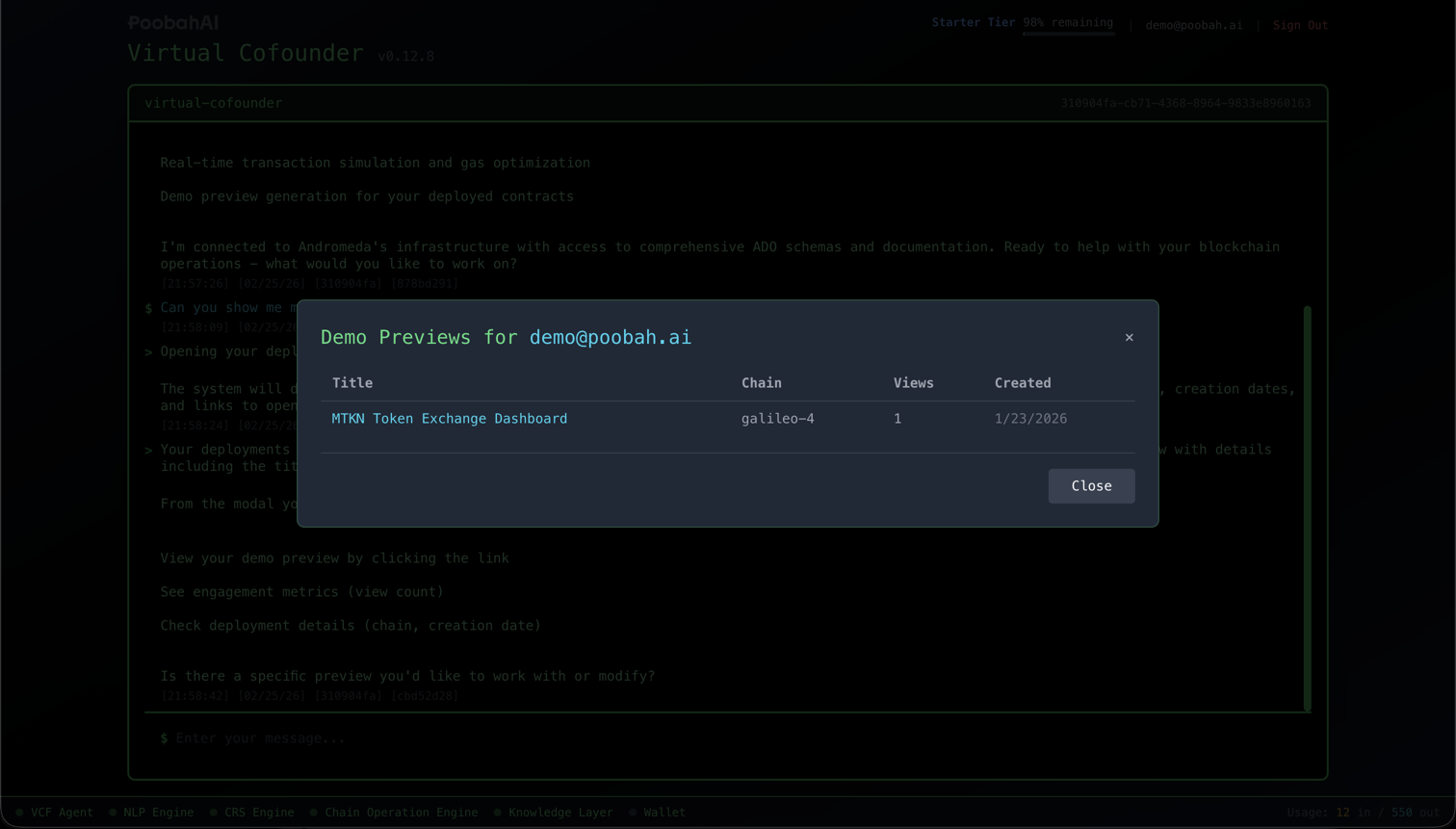
| Detail | Description |
|---|---|
| Title | The name of the preview |
| Chain | Which blockchain network it's on |
| View Count | How many times the preview has been opened |
| Created | When you generated it |
Click any preview to open it in a new tab, or copy the URL to share it again.
Privacy and Access
A few things to keep in mind about preview visibility:
- Public by default — Anyone with the link can view the preview
- Query-only for viewers — Viewers can read contract data but cannot execute transactions without connecting a wallet
- Contract addresses are visible — The preview displays the on-chain addresses of your contracts
- No authentication required — Recipients don't need a Poobah account to view
Best Practices
Use Descriptive Names
When requesting a preview, include a clear description. This makes it easier to find the right preview later in your deployments panel.
Test Before Sharing
Open the preview link yourself before sending it to others. Verify that the components display correctly and the data looks right.
Note the Network
Testnet previews show test data — make sure you're generating previews on the right network for your audience. Mainnet previews show real assets and real values.
Regenerate When Needed
If your contracts have changed or you want a different layout, generate a new preview. Each generation creates a separate page with its own URL.
Next Steps
- Available Components — See what types of interfaces can appear in previews
- Guides — Build more projects to preview