Chains & Environments
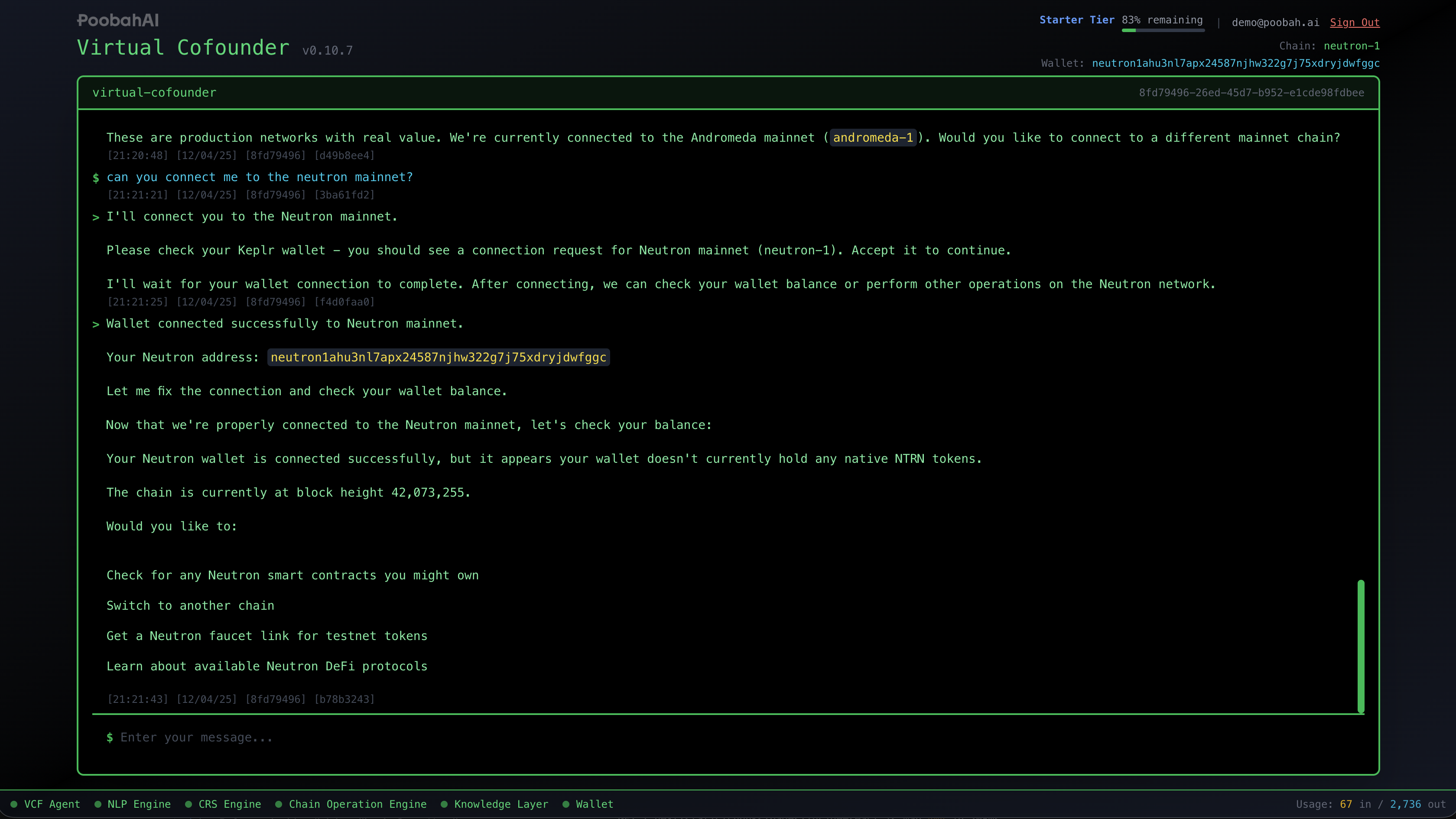
Virtual Cofounder works across multiple blockchain networks and environments. Understanding how to switch between them helps you work safely and efficiently.
Environments
Virtual Cofounder supports three environments, each serving a different purpose:
| Environment | Purpose | Tokens |
|---|---|---|
| Testnet | Safe experimentation and learning | Free test tokens (no real value) |
| Mainnet | Production use with real assets | Real tokens with real value |
| Devnet | Testing bleeding-edge features | Free test tokens |
Testnet (Recommended for Learning)
Testnet is the safest place to learn and experiment:
- Tokens have no real value
- Mistakes don't cost anything
- You can deploy contracts freely
- Great for following guides and tutorials
Switch to testnet
Mainnet
Use mainnet when you're ready for production:
- Real tokens with real value
- Transactions cost real gas fees
- Contracts are permanent and public
- Only use after testing on testnet
Switch to mainnet
Devnet
Devnet is for testing the latest features:
- May be unstable
- Resets periodically
- Useful for testing new capabilities before they reach testnet
Switch to devnet
Checking Your Current Environment
Not sure which environment you're on? Just ask:
What chain am I on?
What environment am I using?
Show me the current chain configuration
The status bar at the bottom of the interface also shows your current chain.
Switching Chains
Virtual Cofounder handles chain switching through conversation:
Switch to testnet
Switch to the Andromeda mainnet
Change to galileo-4
To see what chains are available:
What chains are available?
List available chains
When switching chains with Keplr:
- You may see a popup asking to approve adding a new network
- Your wallet will connect to the new chain automatically
- Previous chain connections remain available
Checking Your Balance
After connecting a wallet, you can check your balance:
What's my wallet balance?
How much ANDR do I have?
Show my token balances
Balance checks show:
- Native tokens (like ANDR)
- Any other tokens in your wallet
- The denomination and amount
Getting Testnet Tokens
New wallets and testnet environments need tokens for transactions. You can request testnet tokens from a faucet:
How do I get testnet tokens?
I need tokens on testnet
Virtual Cofounder will guide you to the appropriate faucet or help you request tokens.
Chain Information
You can query information about the blockchain:
What's the current block height?
Show me chain status
What's the latest block?
This is useful for:
- Verifying the chain is operational
- Checking transaction finality
- Understanding network activity
Best Practices
- Start on testnet — Always test new contracts and workflows on testnet first
- Verify your environment — Check which chain you're on before executing transactions
- Keep testnet and mainnet separate — Use different wallets or be very careful when switching
- Watch gas costs — Mainnet transactions require real tokens for gas fees
Next Step
Now that you're set up, head to How to Use to get the most out of Virtual Cofounder.